
What Huddle is
A free team chat that runs in your own Cloudflare account. Who it suits, what it costs and how it differs.
Huddle is a chat app for your team that you own yourself. This page explains what it does, who it’s for and what it costs.
Your team’s chat, kept in your own account
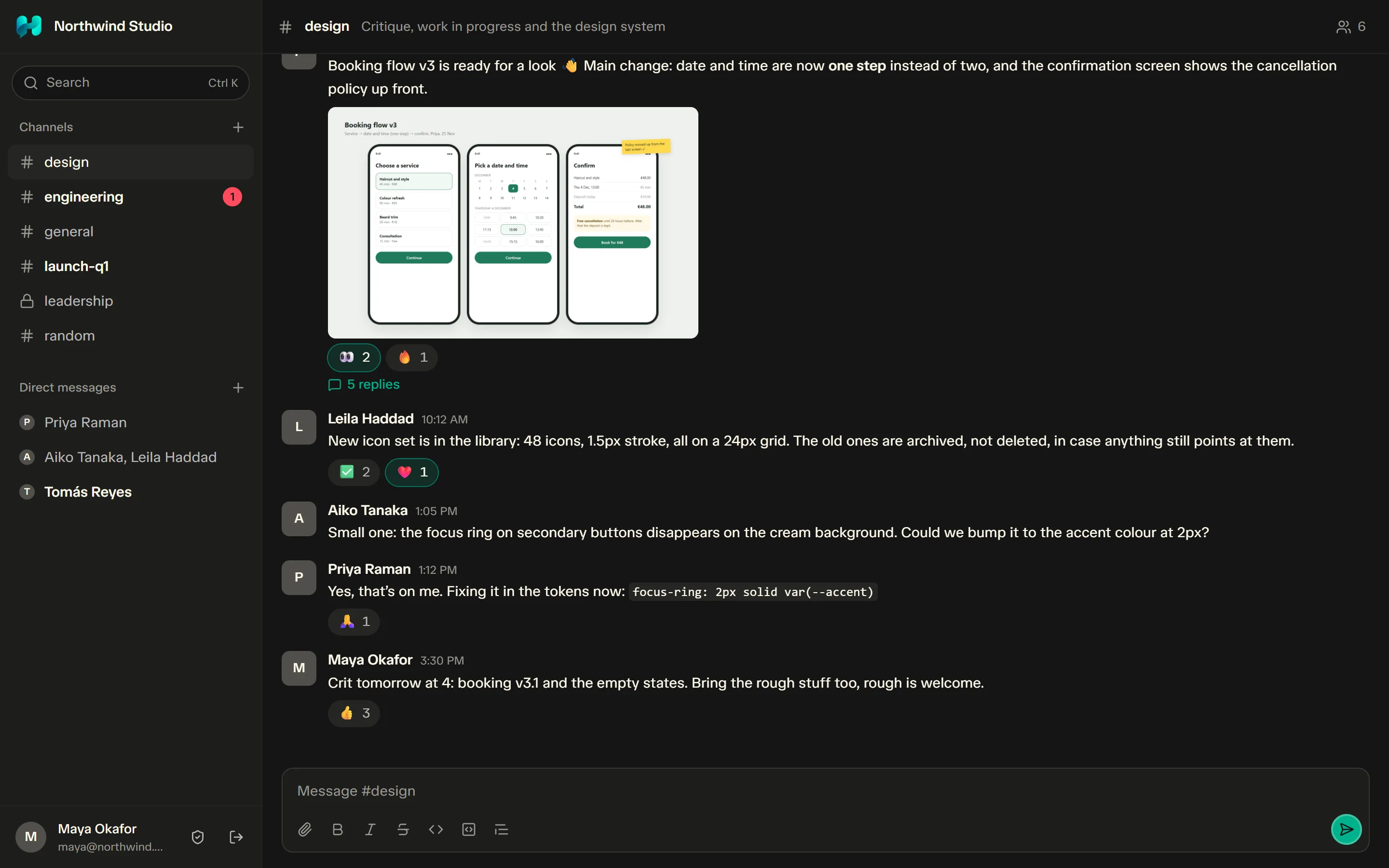
Huddle has everything you’d expect from team chat: channels, private messages, threads, mentions, emoji reactions, file sharing, search, and notifications on phones and computers.
The difference is where it lives. Huddle doesn’t run on someone else’s servers. It runs in your own Cloudflare account (Cloudflare is a large internet company that offers a free plan for small projects). All your messages and files stay in that account, and you can download a copy of everything whenever you like.
Huddle is free and open source. Anyone can use it, change it and share it.
Who it’s for
Huddle suits small and medium teams that want a private place to talk without paying for every person, every month. For example:
- studios, agencies and small companies
- clubs, community groups and volunteer teams
- anyone who wants their team’s conversations kept somewhere they control
Huddle is invite-only. Nobody can join unless someone on your team invites them.
What you get
- Channels for topics or projects, open to the whole team or private.
- Direct messages with one person or a small group.
- Threads to reply to one message without filling up the channel.
- Mentions with
@nameto get someone’s attention, plus emoji reactions. - Simple formatting: bold, italic, code and quotes.
- Files up to 25 MB. Pictures show right in the conversation.
- Search across messages, files, channels and people. Each person only finds what they’re allowed to see.
- Notifications on your phone and computer, and optional email summaries of what you missed.
- An app you can install on your phone or computer straight from the browser.
- Guests: people from outside your team who only see the channels you choose.
- Admin tools: manage people, see a log of sign-ins and changes, check how much of the free plan you’re using, bring in your history from Slack, and download everything.
- No passwords. People sign in with a 6-digit code from an app on their phone, or one sent by email.
What it costs
Huddle itself is free. It’s designed to fit inside Cloudflare’s free plan for a typical small team, so for most teams it costs nothing to run.
Two things to know:
- Cloudflare asks for a payment card before you can turn on file storage. Storage stays free up to 10 GB, so you won’t be charged for normal use.
- Email is optional. If you want Huddle to send invitations and summaries, it sends them from a Gmail account you choose, which is also free.
See Limits and costs for the details.
How it compares with paid chat services
| Huddle | A typical paid chat service | |
|---|---|---|
| Where your messages are kept | Your own Cloudflare account | The company’s servers |
| Price | Free for most small teams | A monthly fee per person |
| Old messages | You keep all of them | Often hidden on free plans |
| Leaving | Download everything as one file | Depends on the company |
| Who looks after it | You (updates are a few clicks) | The company |
The trade-off is that you’re in charge of it. Setting it up takes about five minutes with the Deploy button, and there’s no server for you to maintain.
Next steps
- Put Huddle on Cloudflare.
- Sign in for the first time and name your workspace.
- Invite your team.