
Security
How Huddle signs people in, protects secrets and files, limits abuse and records who did what.
In plain words: your messages and files stay in your own Cloudflare account. There are no passwords to steal: people sign in with one-time codes. Only people in a conversation can read it or open its files. Guessing codes or flooding the chat is blocked, and owners and admins can see a log of every sign-in and important change.
The rest of this page explains each protection in more detail. Everything here describes what Huddle does today.
Where your data is
Everything is stored in your own Cloudflare account: messages and settings in your D1 database, files in your private R2 bucket. Cloudflare encrypts both at rest, and every connection to Huddle uses HTTPS.
Messages are not end-to-end encrypted. Anyone with access to your Cloudflare account can read the database, so protect that account with a strong password and two-factor sign-in.
Signing in
Huddle has no passwords, so there are none to leak or reuse.
Authenticator apps use standard time-based codes: 6 digits, a new one every 30 seconds. A code works only once, and codes from a phone clock up to one step off are accepted. After 8 wrong codes in a row, sign-in with the app is locked for 15 minutes. Each person’s app secret is stored encrypted.
Emailed codes are 6 digits, work once for 5 minutes, allow 3 tries and are stored hashed. Codes are only sent to existing members and people with a pending invitation; anyone else sees the same “sent” message but gets nothing, so the form can’t be used to find out who is a member.
The owner’s setup key is the BETTER_AUTH_SECRET, which only whoever deployed Huddle has. It’s compared in constant time, and only works together with the ADMIN_EMAIL. Owner recovery has no link on the sign-in page.
Invite-only. An account can only be created by the configured owner (before the workspace exists) or by someone with a valid invitation. Attempts by anyone else are refused and logged.
Sign-in rate limits
| What | Limit |
|---|---|
| Requesting emailed codes | 5 an hour |
| Trying emailed codes | 10 every 5 minutes |
| Trying authenticator codes | 10 every 5 minutes, plus the 15-minute lock |
| Starting an authenticator setup | 10 an hour |
| All other sign-in requests | 60 a minute |
Links and tokens
Invitation links, authenticator reset links and webhook URLs carry random 256-bit tokens. Only a hash of each token is stored, so a copy of the database doesn’t contain working links. Invitations and reset links work once and expire after 7 days. Unsubscribe links in emails are signed and expire after 90 days.
Sessions
- Sessions last 30 days and are renewed while you use Huddle.
- Session cookies are
HttpOnly,SameSite=Lax, andSecureon HTTPS addresses. - Deactivating someone deletes all their sessions and closes their live connections immediately.
- A deactivated person can’t start a new session by any sign-in method.
Protecting the API
- Cross-site requests: every request that changes something must come from Huddle’s own address, checked with the
Originheader. WebSocket connections are checked the same way, so another site can’t open a live connection as you. - Security headers: the API’s content security policy allows nothing but JSON, pages can’t be framed, HSTS is on, and every response is marked
noindex. - Permissions in one place: the rules for who can do what live in one module and are applied on the server for every request. Hiding a button in the app is never the only protection.
- Private things stay hidden: conversations and files you can’t read answer
404, so their existence isn’t confirmed. - Errors: responses never include stack traces or database details. Setting problems name the setting, never its value.
Files
- Files are stored under random keys, never their names, in a private bucket with no public links.
- Every download is checked against the conversation’s members, and files from deleted messages can’t be opened.
- A file’s type is worked out from its contents. Only images and PDFs are ever shown in the browser; everything else is a download.
- Downloads are served with
nosniffand a sandboxing content security policy, so even a file opened in the browser can’t run scripts. - The workspace logo must be PNG, JPEG or WebP. SVG is refused because it can carry scripts.
Secrets at rest
BETTER_AUTH_SECRET is the root of everything. Separate keys are derived from it for each purpose (HKDF-SHA256), and these encrypt stored secrets with AES-256-GCM:
- each person’s authenticator secret
- the private key that signs device notifications
Keep BETTER_AUTH_SECRET and GMAIL_APP_PASSWORD as Worker secrets, not plain variables. Changing BETTER_AUTH_SECRET signs everyone out and invalidates every authenticator app.
Device notifications are encrypted for each browser, so the push service delivering them can’t read them.
Abuse limits
- About 60 messages a minute per person.
- 30 messages a minute per incoming webhook.
- 25 MB per file.
- Guests only see the channels they’re invited to, the people in them, and never email addresses.
The security log
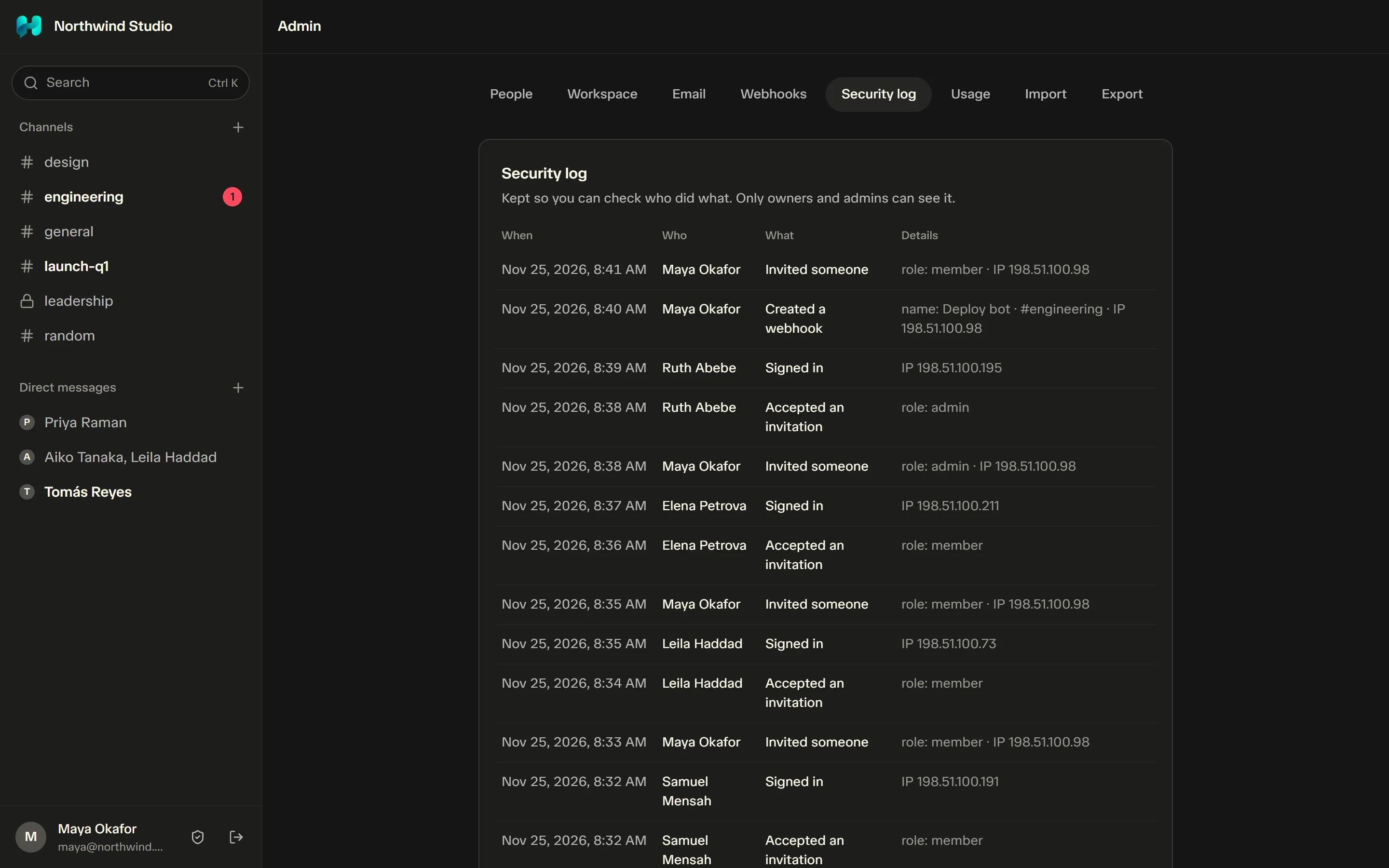
Owners and admins can see the Security log in Admin. It records, with the time, who did it, the IP address and the browser:
- sign-ins, failed sign-ins, blocked sign-ups and blocked deactivated accounts
- invitations created, accepted and withdrawn
- role changes, deactivations, reactivations and authenticator resets
- workspace setting, name, colour and logo changes, with what changed
- webhooks created and revoked
- exports (noting whether direct messages were included) and Slack imports
IP addresses come from the header Cloudflare sets itself, which a visitor can’t fake.
Reporting a problem
If you find a security issue, please report it privately to the maintainers through the GitHub repository rather than in a public issue.