
Incoming webhooks
Let other tools, such as a build server, a form or a monitor, post messages into a channel through a secret link.
A webhook is a secret web address that another tool can use to post a message into one of your channels. For example, your website’s contact form could post each new enquiry into #sales, or a monitoring tool could warn #engineering when a site goes down. This page shows how to create one, test it and switch it off.
Webhooks only bring messages into Huddle. Huddle doesn’t send messages out to other tools.
Create a webhook
Owners and admins manage webhooks in Admin › Webhooks.
- Choose the Channel the messages should go to. Public and private channels work; direct messages don’t.
- Type the Name shown on its messages, for example Deploy bot or Website form.
- Select Create webhook.
- Copy the Webhook URL straight away and paste it into the other tool’s settings. Huddle only shows it once.
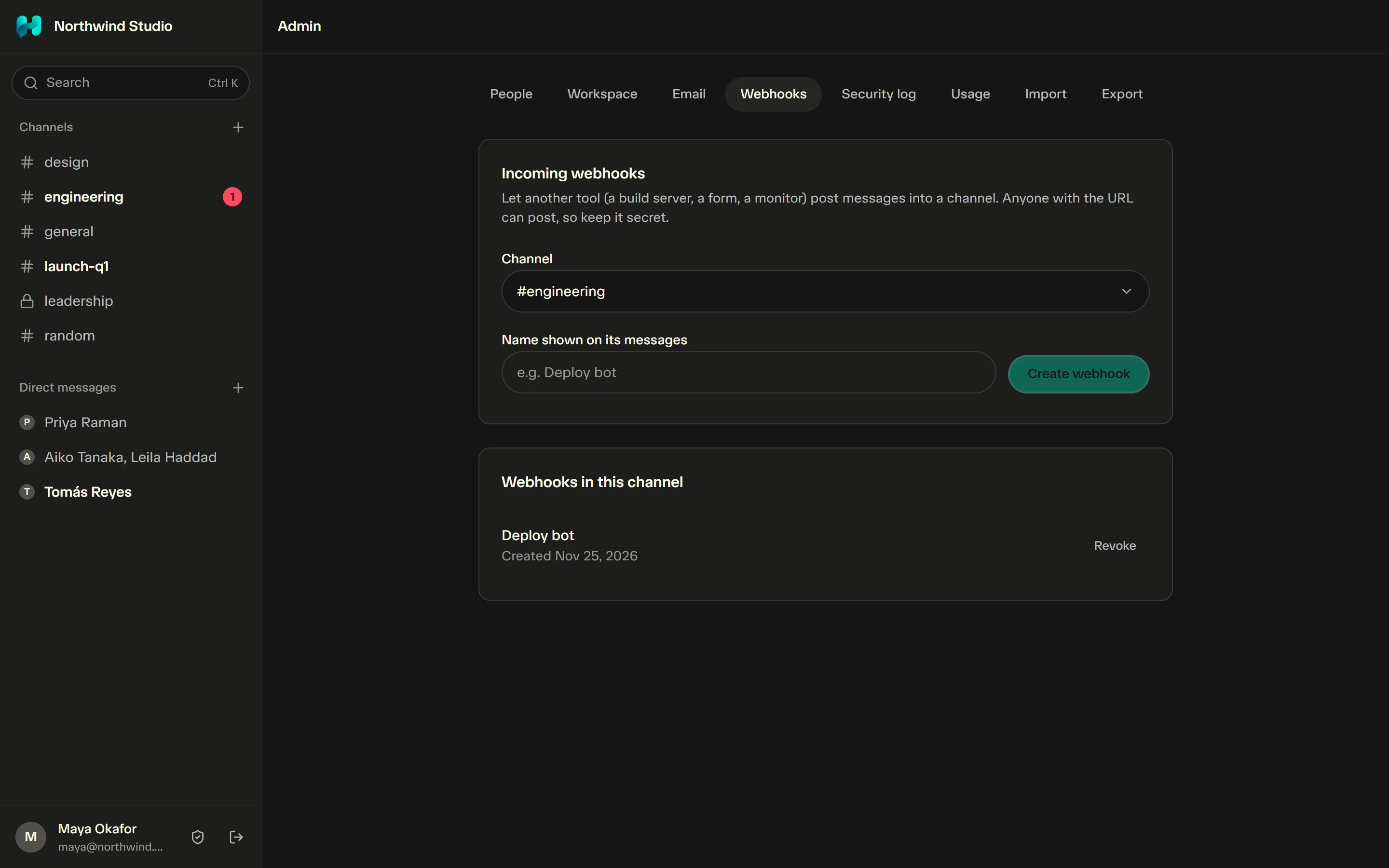
Most tools that support webhooks just need the URL and will send messages in the right format. Look for a setting called “webhook”, “Slack-style webhook” or “POST to URL” in the other tool.
What the other tool needs to send
This part is for whoever sets up the other tool. The tool sends a POST request to the webhook URL with a JSON body that has a text field. You can try it yourself from a terminal with this command (Huddle shows the same example after you create the webhook):
curl -X POST https://chat.example.com/api/hooks/WEBHOOK_ID/SECRET_TOKEN \
  -H "content-type: application/json" \
  -d '{"text": "Build passed ✅"}'
The message appears in the channel under the webhook’s name, with an App label. It can use the usual formatting.
| Rule | Detail |
|---|---|
text |
Required, 1 to 4,000 characters |
| Speed | At most 30 messages a minute per webhook |
Idempotency-Key header |
Optional, 8 to 64 letters, numbers, - or _ |
Avoiding duplicate messages
Some tools resend a message if they don’t hear back in time. To stop that creating duplicates, the tool can send the same Idempotency-Key header each time it retries. Huddle then posts the message only once.
curl -X POST https://chat.example.com/api/hooks/WEBHOOK_ID/SECRET_TOKEN \
  -H "content-type: application/json" \
  -H "Idempotency-Key: deploy-2026-11-25-0915" \
  -d '{"text": "Deployed version 1.4.2 to production"}'
What Huddle answers
| Status | Meaning |
|---|---|
201 |
Posted. The answer includes the message’s id and seq. |
200 |
Already posted with this Idempotency-Key, so nothing new was added. |
400 |
The message or header isn’t in the right format. |
404 |
The URL is wrong, or the webhook was switched off. |
409 |
The channel is archived. |
429 |
More than 30 messages in a minute. Wait the number of seconds in the Retry-After header. |
Switch a webhook off
Under Webhooks in this channel, select Revoke next to the webhook and confirm. Its URL stops working straight away.
Creating and switching off webhooks is recorded in the security log.